Stemma Brewing
Summary
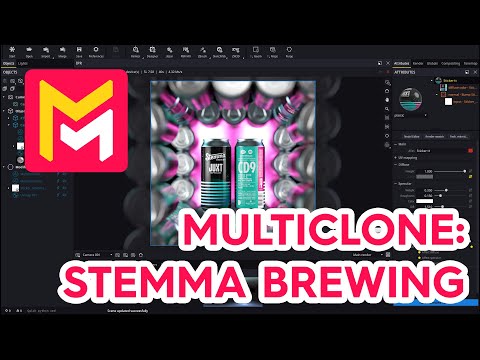
This YouTube video tutorial demonstrates how to use the Maverick Render software to create a visually appealing marketing image of a beverage can. The tutorial uses a multi-clone modifier to arrange multiple instances of the can into a box-like structure, adding realism through techniques like random rotation and adjusting overlap. Lighting is meticulously crafted using gradients and the light mixer to achieve a cohesive and polished final render. The process is explained step-by-step, with specific settings and adjustments highlighted. Finally, the completed scene is made available as a pre-installed sample within the Maverick Studio software.
F.A.Q.
-
What is the primary focus of this Maverick Render tutorial? This tutorial focuses on demonstrating a creative approach to marketing a beverage can using Maverick Render. It specifically shows how to use the multi-clone modifier to create a visually appealing arrangement of cans for promotional purposes, utilizing a specific design provided by Chad Gowie. The tutorial emphasizes creating a dynamic and engaging product presentation.
-
How is the multi-clone modifier used to create the box frame? The multi-clone modifier is applied to a can model, initially using the 'hollow row up' option to create the basic box frame. The instance count is adjusted to complete the frame along the z-axis. Then, rotations and instance adjustments are made to achieve the desired box-like structure. Further multi-clone modifiers create arrays of these box frames.
-
How are the cans randomized and oriented within the multi-clone frame? The cans are randomized through rotation within the first multi-clone modifier. Low angle values are used to avoid excessive chaos, adding a touch of irregularity for increased realism. The second multi-clone modifier shifts one column of cans using the 'zipper' option and rotates this shifted column 180 degrees. Individual can rotations and position adjustments are done manually to ensure they face the camera correctly.
-
How does the 'zipper' option in the multi-clone modifier work and what adjustments are needed? The 'zipper' option shifts items in an array. When used, it needs a negative offset to compensate for the shift and ensure the second can stays in its intended position. This allows for controlled rotation of columns within the multi-clone setup. Manual rotations of individual cans may also be needed to counter act the rotation introduced by the 'zipper'.
-
What lighting techniques are used to enhance the final render? The tutorial uses a combination of gradient lights, including a magenta gradient in the back to match the can labels, a light on the left to create reflections, a box gradient light on the opposite side, and a circular gradient light from the top. The light mixer is used to fine-tune the intensity and color of the lights, initially turning off all sources and then adjusting them individually, ensuring full control and optimal results.
-
How is Depth of Field applied in this scene, and why? Depth of field is enabled and locked onto the central cans to draw the viewer's focus to the main subject. This technique creates a shallow focus effect, blurring the background and foreground to create a more visually appealing and professional render that draws the viewer's attention to the focal point.
-
What specific rendering tools are used to achieve the final look? Beyond the core multi-clone and lighting features, the tutorial also employs tone mapping adjustments and adds effects like bloom and blur to complete the rendering process. These finishing touches help to create a polished and professional look, demonstrating how to utilize the software's full suite of rendering tools.
-
What are the benefits of using Maverick Studio, according to the tutorial? The tutorial highlights that Maverick Studio has strengths in lighting, which is demonstrated by the comprehensive exploration of lighting options and the use of the light mixer. The tutorial also shows how the software's versatile multi-clone tool enables complex and creative presentations of objects, suitable for marketing and other applications.