Pattern
Summary
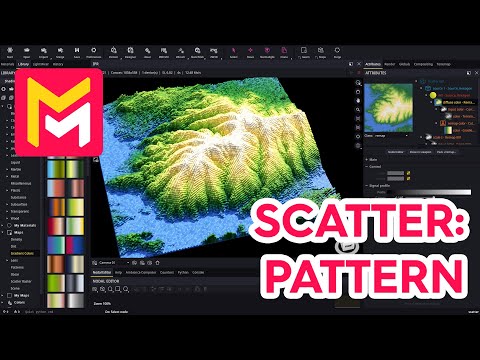
This YouTube video tutorial demonstrates new scatter pattern options in the Maverick Render software. The tutorial covers creating grid-like patterns using UV patterns and raster maps, explains how to control instance scale and rotation, and shows how to use noise maps and gradients to create height-dependent colors and effects mimicking terrain. Various pattern modes (quad, hexa, tri) are explored, along with methods to blend gradients and textures for visually appealing results. The video concludes with examples showcasing the techniques discussed.
F.A.Q.
-
What new pattern options have been added to the Scatter modifier in Maverick Render? The Scatter modifier now includes UV pattern options (quad, hexa, and tri modes), raster map options, and the ability to use various noise, gradient, and terrain height maps to control scale and color. These additions allow for more structured and varied scatter effects, moving beyond purely chaotic distributions.
-
How does the "UV pattern" count mode work within the Scatter modifier? The UV pattern mode allows you to distribute instances of a source object in a grid-like pattern based on the UV coordinates of the base geometry. The quad mode creates a square pattern, while hexa and tri modes create hexagonal and triangular grids respectively. The repeat, translate, and rotate options help to adjust the pattern's arrangement within the UV space.
-
How do raster maps function with the Scatter modifier? Raster maps, often simple image files, determine instance placement based on pixel brightness. White pixels in the raster map indicate the locations where instances will be scattered. You can toggle off filtering in the file text node for accurate pixel interpretation. Options like tiling and translation help position the raster pattern effectively. This mode enables specific and controlled instance placement based on a predefined pattern.
-
What is the purpose of the "instance UVs" mapping mode when using maps to control color or scale? The "instance UVs" mode is crucial for binding map-driven properties (like color or height) to the geometry of each scattered instance. By setting a noise, gradient, or terrain map to use instance UVs, the color and/or height variations defined by the map will affect each instance separately based on its UV coordinates, creating dynamic and localized effects. Without this mode, the entire scattered group would receive the same color or height values.
-
How can noise and gradients be used to create interesting scatter arrangements? Noise maps can be applied to the Z-scale of instances to create wavy, height-varying effects. When combined with a gradient color map, this allows for color variations to be driven by the noise values or the height of the instance along the Z axis. Re-mapping the noise values through a gradient color creates height-dependent colors. This leads to dynamic, layered color effects tied to the instance's geometry and placement. The gradient node has clamp options to prevent repetition.
-
How do terrain height maps influence the scattering effect? Terrain height maps can be plugged into the Z-scale of the remap node to control instance height. Similar to noise maps, using the instance UVs mapping mode allows the scattered instances to adopt the shape of the terrain and display colors based on height variations as defined by a gradient map, giving the scatter a landscape-like appearance, and creating a result that mirrors the terrain's surface topography. You can control the terrain effect through the scatter's scale and tiling options.
-
How do the "tri" and "hexa" pattern modes differ in practice? While they both create repeating patterns, the "tri" mode is designed for tighter packing and can be used to create hexagonal grids when using hexagonal prism objects. The "hexa" mode works similarly, and both are suited for creating dense, interlocking arrangements. They create mirrored layouts that are suited for certain shapes with repeating angles like hexagons and triangles.
-
Can these new scatter features be used with custom assets? Yes, the new scatter features can be used with any custom asset that you import into Maverick Render. This includes custom models that you use as the scatter source and custom image files that you can use as raster maps, as terrain height maps, or to create gradients. In any case the use of the instance UV mapping mode when using procedural maps enables these custom assets to be further modified or stylized.