Composition Guides
Summary
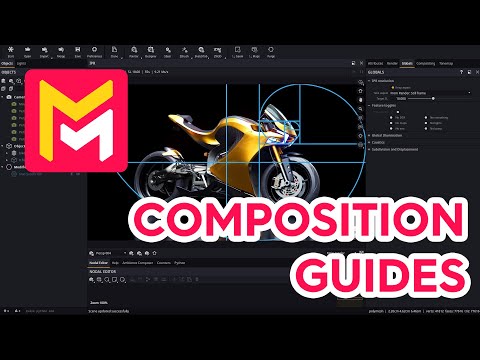
This YouTube video tutorial from Maverick Render demonstrates new composition guide functionalities recently added to their software. These guides, based on photographic principles like the rule of thirds and golden ratio, assist users in creating visually appealing renders. The tutorial showcases how to activate and customize these guides, including adjusting their appearance and orientation. The video uses a free-to-download 3D model as a practical example, illustrating the guides' application in various scenarios such as integrating models into existing photos. Finally, the video emphasizes the guides' potential to improve the overall composition of users' renders.
F.A.Q.
-
What are composition guides in Maverick Render, and why are they useful? Composition guides are visual aids based on mathematical principles, such as the rule of thirds, golden spiral, and golden section, that help you create visually appealing compositions in your renders. They provide lines or areas that suggest ideal placement for key elements, helping you guide the viewer's eye and create more engaging images. Maverick Render now provides a suite of these guides as an overlay within the IPR (Interactive Preview Render) to easily assist with composition.
-
How do I enable and access the composition guides in Maverick Render? You can enable composition guides using a dedicated button located within the IPR (Interactive Preview Render) interface. Once enabled, you can select which guides to display from a menu. This allows for an immediate overlay of guides onto your scene.
-
What types of composition guides are available in Maverick Render? Maverick Render offers a range of composition guides, including classic ones like the rule of thirds, as well as others such as the golden spiral, golden section, and the camera horizon line. The various options provide a range of approaches to composing a scene.
-
What is the purpose of the camera horizon line guide? The camera horizon line is particularly useful when integrating 3D models into an existing photo backplate. It helps you ensure that the horizon line in your render matches the horizon line in the background photo, which creates a more realistic and cohesive composite image.
-
Can I adjust the orientation of the composition guides? Yes, Maverick Render allows you to rotate or flip the guides depending on the orientation of your image. This adaptability is critical when working with source photography that has a distinct orientation.
-
Is it possible to use multiple composition guides simultaneously? Yes, you can stack multiple composition guides on top of each other. This allows you to use a combination of guide types to refine your composition.
-
Can I customize the appearance of the composition guides? Yes, in the preferences dialog, you can configure both the color and width of the guides. This customization allows for a less obstructive workflow so guides do not distract from the image being composed.
-
How can composition guides improve my renderings in Maverick Render? By using composition guides, you can make more deliberate decisions about the placement of your subject, the lines, the shapes and overall balance in your rendering. This can lead to more visually appealing and impactful images, because composition guides help to highlight the most important areas of your render. They are not intended to be followed explicitly, but to provide a starting point for creating good composition.