Ganesha
Summary
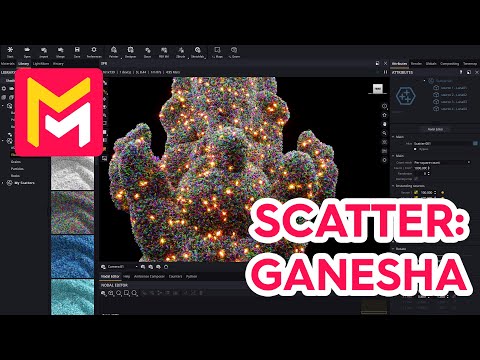
This YouTube video tutorial demonstrates the new scatter system in Maverick Render software. The tutorial uses a Ganesha model to illustrate how to use pre-made scatters from the library, adjust scatter parameters like scale and density, and create custom scatters from scratch. Specific examples include populating the model with wool-like fibers, applying different materials with subsurface scattering and emissive properties, and utilizing features like optical zoom and denoising for efficient rendering. The video highlights the ease of creating complex, visually appealing results with the new system. Finally, the video emphasizes the use of features to improve rendering speed and quality.
F.A.Q.
-
What is the primary focus of the Maverick Render scatter system, as demonstrated in this tutorial? The Maverick Render scatter system focuses on efficiently populating 3D scenes with a large number of objects, as shown by scattering objects such as fibers across a Ganesha model. It emphasizes ease of use, allowing users to quickly apply pre-made scatters from a library or create their own from scratch, achieving complex effects with relatively little effort.
-
How can I preview the results of the scatter system without needing to move the camera? Maverick Render offers an "optical zoom" feature, which allows users to inspect details of the scatter without having to reposition the camera. This helps in fine-tuning the look of the scatter in a more efficient and comfortable way.
-
What are some of the adjustments that can be made to a scatter effect after it has been applied? After a scatter is applied, various attributes can be adjusted. These include scaling (both overall and random), density adjustments for the population, as well as the choice of the source materials. The tutorial also demonstrates per-square density controls.
-
How do I create a custom fiber scatter from scratch using the provided tools? To create a custom fiber scatter, begin by dropping fiber objects from the scatter sources library, then apply a default scatter modifier to the 3D model you wish to populate. Add the fiber objects as sources to the modifier, and adjust scale and density for the desired look.
-
Can different materials be applied to different source objects within a scatter? Yes, different materials can be applied to the various source objects within a scatter. Furthermore, the material application supports "instancing," enabling the same material to be shared across multiple sources without creating clones, reducing resource usage.
-
How can the scatter system be used to create more visually complex or appealing effects? The scatter system allows for the use of advanced material effects, such as subsurface scattering and emissive materials. These effects, combined with color gun maps for random variations, can greatly enhance the visual complexity of a scattered object. These can also be further enhanced with post-processing effects like glare and bloom.
-
How does the denoiser and fast rendering help with complex scattering effects? The denoiser within Maverick Render enables near-instantaneous rendering results, even with complex scenes involving many scattered objects, allowing users to quickly preview and refine changes. This feature significantly improves the workflow for users working with high detail scatter systems.
-
Is it possible to control the prevalence of different object types within a scatter? Yes, by controlling the density of certain object types the user can have less prevalence of some sources versus others. In the tutorial this was shown by decreasing the frequency of the emissive material, allowing the non-emissive fibers to become more visible in the scene.