Floating Apples
Summary
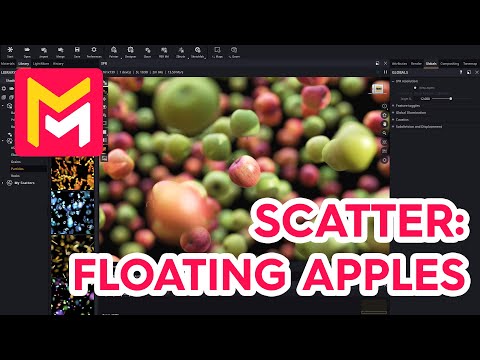
This YouTube tutorial demonstrates how to use the Maverick Render software to create a scene with floating apples. The process involves importing 3D apple models from Sketchfab, using the scatter modifier to distribute them across a plane, and adjusting settings to control their position, rotation, and scale. The tutorial also covers lighting techniques, including using a spotlight with a projector and an image-based lighting setup, to enhance realism. Finally, it suggests using the light mixer and AI denoiser for final render optimization, resulting in a photorealistic image. The overall goal is to teach viewers how to utilize Maverick Render's scattering capabilities for creating visually appealing scenes.
F.A.Q.
-
What is the primary function demonstrated in this tutorial? The tutorial focuses on demonstrating the scatter feature in Maverick Render, specifically how to use it to populate a scene with multiple instances of 3D models, in this case, apples, floating above a plane.
-
How are 3D models imported from Sketchfab into Maverick Render? Models are imported from Sketchfab using the "import sketchfab" button in Maverick Render. The user downloads the model from Sketchfab in glTF format, and then selects the downloaded file for import, choosing the ambience to place it in.
-
What is the importance of resetting the scale/transform before scattering objects? Resetting the scale or transform ("reset xform") is crucial because Maverick Render's scatter modifier needs to recognize the true scale of the model to ensure accurate and predictable scattering results. Any scaling applied beforehand needs to be reset for proper behavior of the scatter node.
-
How is the scatter modifier applied and configured in this demonstration? A scatter modifier is applied to a plane primitive. The 3D apple models are then plugged into the modifier's source inputs (source 1, source 2). The attributes of the scatter node are then edited to achieve the desired effect (e.g. maximum Z translation, random rotations).
-
How are objects made to float over the plane using the scatter modifier? The "maximum Z translation" attribute of the scatter node is increased. This causes the scattered objects to move upwards along the Z axis resulting in the floating effect.
-
What techniques are used to enhance the visual realism of the scene? Several techniques are employed, including: randomizing rotations of the apples, increasing the total count of apples for spatial density, applying depth of field (DOF) to blur the background, creating a hard spotlight with a projector for interesting light effects, and using the light mixer for final color touch-ups. The AI denoiser is also used to get quick, clean renders.
-
How is lighting and shading implemented in the scene? Lighting is created using a combination of an Image Based Lighting (IBL) setup to which direct color is applied, and a hard spotlight. A projector is also assigned to the spotlight which leads to interesting stencil patterns. The intensity and cone angle of the light is carefully adjusted.
-
What navigation method is recommended for scenes with scattered objects? The "surface" option in the orbit dropdown list is recommended as an excellent method to navigate complex, heterogeneous scenes like the one demonstrated in the tutorial, which consists of floating, scattered objects.