Cosmetics
Summary
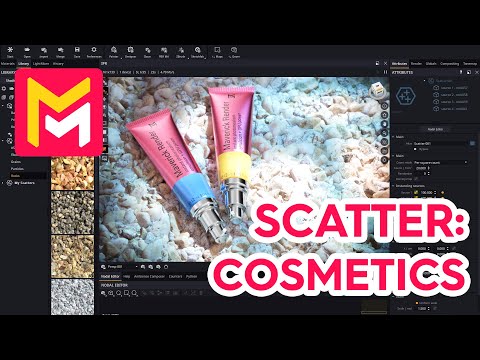
This YouTube video tutorial demonstrates how to use the scatter feature in Maverick Render to populate scenes with numerous small objects. The tutorial covers two examples: scattering small particles to simulate grains and scattering low-poly rocks imported from Sketchfab. It emphasizes efficient RAM usage through techniques like scaling down the base plane and purging unused materials. The video also shows how to adjust various parameters, including scale, density, translation, rotation, and color variations, to achieve desired results. Finally, it demonstrates lighting and post-processing techniques to enhance the final render.
F.A.Q.
-
What is the purpose of the scatter feature in Maverick Render? The scatter feature in Maverick Render allows users to quickly and efficiently populate a scene with multiple instances of a source object (or objects). This is useful for creating things like fields of grain, piles of rocks, or any situation where you need many of the same item scattered across a surface. It helps avoid manually placing many assets one by one.
-
How do I start using the scatter feature? You begin by selecting a "source" object, which can be a simple primitive (like a plane) or a more complex 3D model. You then apply a "scatter node" to another object (often a plane, but could be other objects), which will be the surface onto which the source objects are scattered. By adjusting the scatter node’s attributes, you can control the number, density, scale, and arrangement of the scattered items.
-
Why is it important to consider the size of the surface being scattered on? The size of the surface you’re scattering on affects RAM usage. If you're scattering small objects on a large surface, it can quickly consume a lot of RAM. The video recommends scaling down the surface to just slightly larger than your camera frame or using a plane with specified dimensions. This ensures efficient memory usage, particularly with a large number of scattered items. You should also reset the transform/scale values on the surface after rescaling so that the scatter feature calculates object spacing correctly.
-
Can I use models from external sources with the scatter feature? Yes, you can use models from external sources like Sketchfab. You can import these models into Maverick Render using the 'Merge Sketchfab' button, taking care of scale settings. The video recommends ungrouping the imported models before scattering to isolate specific objects and purging unused materials to free up GPU RAM.
-
How do I control the appearance of the scattered objects? You can control the appearance by adjusting the scatter node’s settings including: scale and density of the objects, translation ranges (to vary heights and even submerge objects), rotations and the use of "collisions" to make objects avoid each other. Further customization is available via the material attributes of the source objects. For example, adding a "Culligan" node can introduce randomized color variations to the scattered instances. Randomization “seeds” can be changed on the scatter node to alter the arrangement, which allows you to fine-tune the specific placement of the scattered models.
-
What is the 'Counters Panel' and why is it important when using the scatter feature? The Counters Panel displays information about your scene’s resource consumption. It’s useful when using the scatter feature because it allows you to monitor how much RAM your GPU is using while scattering objects. This helps you avoid overusing resources and causing performance issues by adjusting scatter density to an acceptable limit.
-
Can you give an example of more advanced adjustments you can make after scattering? After scattering, you can modify the lighting, for example adding spotlights and gradient lights to create the look you want. There are several options in the light mixer panel for touchups, before consolidating to the scene. You can also enable a tone map panel with settings such as vignetting to better focus the main subject of the render.
-
Are there any pre-made scatter setups available to users? Yes, Maverick Render provides a library of pre-made scatter setups, including grain and rock arrangements from the same Sketchfab author used in the video. These can be found in the scatters library and the sample scenes installed by the program. This allows you to quickly access pre-configured scatter effects and learn from existing examples.